











































How to Remove Background From Video Using AI Tools Online

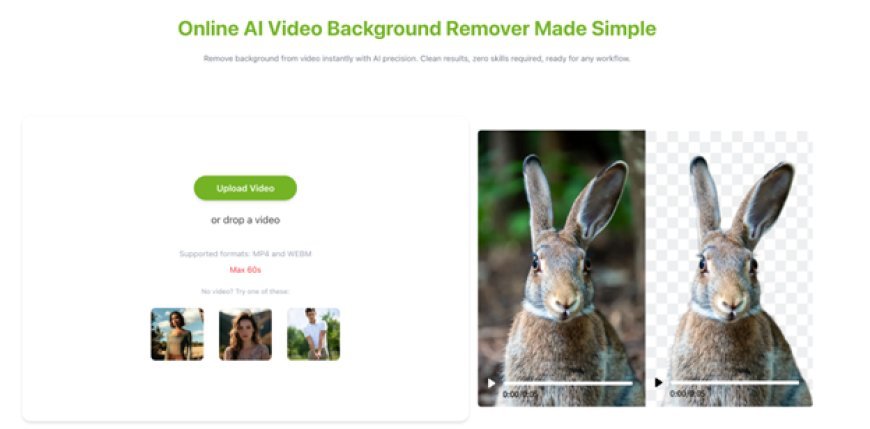
Video content creation requires quality visuals. Removing video backgrounds is an essential editing capability. This used to be impossible without expensive editing skills. AI remover tools used to involve advanced editing and software.
However, modern remover AI simplify the background removal process. Creators can automatically and seamlessly remove background from video with modern AI tools. Businesses and video editing novices benefit significantly from the modern AI background removal tools for ease of video editing.
Understanding Video Background Removal and How It Actually Works
Background removal video means taking the subject out of the background of the video. Video background removal or video segmentation is also called the process. Rather than manually cutting frames, Remover AI automatically recognise the person or object in the video and isolates it.
The process is common in content production, advertising, and social media videos. As an illustration, a creator may show up on a virtual background, despite the fact that the original video may have been captured in a regular room.
Previously, it was done using green screens and sophisticated editing in programs such as Adobe After Effects. However, nowadays, computer-assisted devices can accomplish it in a second in cyberspace. They deconstruct the motion, edges and objects in every frame to form a refined division.
The greatest benefit is simplicity. Technical experience is not necessary. It only takes a video upload and lets the AI do the work. It is as a result of this that anyone can easily create professional-looking content without having to spend a lot of money on equipment and software.
Simple remover AI Workflow to Remove Video Background in Minutes
Step 1: Choose an AI Video Background Removal Tool
One of the easiest methods is to pick a tool online, like Remover AI, for video background removal.
Step 2: Upload Your Video File
Next, select the video you wish to work with. The AI tool does not work with background removal for long videos, so you will get the best results using a short video.
Step 3: Wait for AI Processing
Next, you will have to grant the tool some time to finish the editing. The AI goes through each frame and remove background from video. The length of the video determines the time you will wait.
Step 4: Preview the Result
Fourth, preview the result. It is now possible to view your subject without the background. At this point, a lot of tools enable you to change the background to a colour, a picture or a transparent sheet.
Step 5: Save the Completed Video
You can now save the video that the tool edited. The output is appropriate to use for basically any purpose, work, or fun.
Benefits of Using Remover AI to Remove Background From Video
Background removal in videos, achieved with AI-based removers, has numerous benefits for creators, companies, and amateurs. Speed is the greatest benefit. Conventional editing techniques can take hours, whereas the AI technology takes minutes or seconds.
Cost savings are another great advantage. You do not require costly programs, studios and green screens. All this can be done with a browser. This enables video editing to be made accessible to all.
Creativity is also enhanced by the use of AI tools. Backgrounds can be easily altered to suit your brand, message or mood. This will assist in making videos more engaging and professional.
Another strength is accuracy. The contemporary AI systems can identify edges, hair and high-speed movement with high accuracy. This brings about cleaner and more natural output than manually editing.
Last, but not least, these tools are user-friendly. Much as you might not have experience in editing, you can create quality videos. That is why a lot of creators have begun to use AI services to eliminate the background of video rather than sophisticated software.
Start with the Best Tool to Remove Video Background Online Using AI
AI has entirely transformed how we approach video editing, particularly with features such as cutting backdrops. Something that used to require a lot of time, costly software and technical expertise is now achieved with a few clicks of the mouse button.
Nowadays, anyone can take away the background of the video in no time and get clean and professional results, without possessing any sophisticated editing skills. With such tools under development, transforming further, the creation of video will be even more accessible to all.
Remover AI simplifies the process of creating and posting quality videos to social media, marketing or in your personal life, regardless of your status as a content creator, business owner or beginner. It is not only a change in terms of convenience but also in terms of enabling more individuals to create more visual content with minimal effort.
What's Your Reaction?
 Like
0
Like
0
 Dislike
0
Dislike
0
 Love
0
Love
0
 Funny
0
Funny
0
 Angry
0
Angry
0
 Sad
0
Sad
0
 Wow
0
Wow
0